

Why We Updated MarketEdge
Why: The First MarketEdge website launched over 20 years ago and introduced individual investors to the award winning technical analysis that was previously only available to large Institutional Investors through our Traders Edge product. Since then, the...
read more
The New MarketEdge – Our Goal
Our Goal: Provide a modern user experience to better showcase all of the great content available on marketedge for new users while keeping familiar tools easily accessible for our long time subscribers. We have a very diverse user base from small...
read more
The New MarketEdge – Our Process
Our Process: We started by looking at the most popular sections of our site and seeing how the majority of subscribers were actually using MarketEdge. Next we analyzed our support calls and emails to find out where people were having troubles and see what...
read more
The New MarketEdge – The Result
Result: Updated User Experience New Home Page combines Home and Markets for a single place to get started - Indicators on Home Page (CTI, Posture and SRO) - Market At A Glance - Rollover Charts on Symbols everywhere on the site -Add to stockwatch from...
read more
Live Chat Site Support
If you are having problems on the site, Live Chat site support is now available directly on every page during normal office hours. After hours you can leave a message that is added to the support queue. It is a quick and easy way to ask a question and get a fast...

New QuickChart
All New Interactive Quickcharts give you the flexibility you need to identity trends.
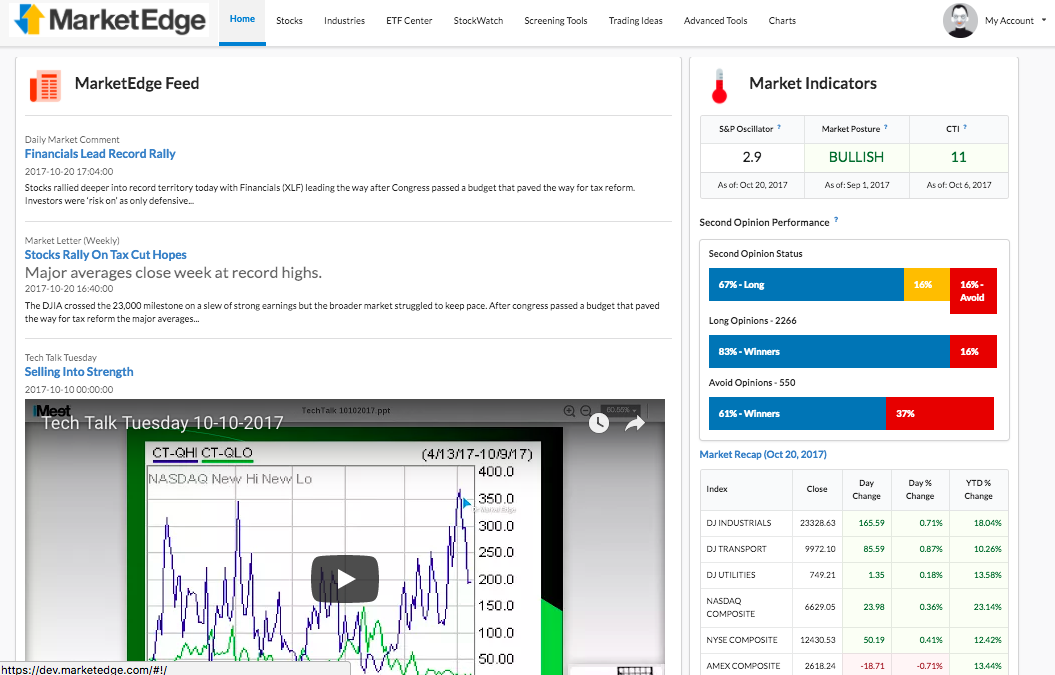
New Homepage
New Home Page combines the old Home and Markets pages for a single place to get started.

New Second Opinion
The Second Opinion Report, the heart of MarketEdge, has been redesigned to so you get a more complete picture.

New Stockwatch
We spent a lot of time on Stockwatch and in a word, it is AWESOME!

New ETF Center and Industry Groups
New ETF Center and Industry Groups give you faster access to the categories you want.

New Screening Tool
Interactive filter results, Add List to Stockwatch, Export to spreadsheet and save your favorite filters.

New Custom Report Formatting
Report Manager brings drag and drop report layouts to the New MarketEdge

New SmartCharts
Chart Tools that are native to your browser means no downloads or complicated configurations.

New Account and Help Center
Everything you need to manage your account and learn how to use MarketEdge in one place.
Now Mobile Friendly
Take MarketEdge with you! The new design works on your Phone and Tablet too.